
 A couple weeks ago, I bought a Nextbook Flexx 8.9 2-in-1 Tablet. I didn’t really need it, but it had two prime selling points, one was the price of $89.00 and the other was that it has Windows 10.
 I’d been wanting a tablet with Windows on it because I didn’t have one. Nextbook Flexx 8.9 has 32 GB of storage, but there’s only around 17.8 GB available after Windows does it’s thing right-off-the-bat. However, I thought that’d be enough since the storage can be expanded with a 64 GB SD card.
I absolutely loved the Nextbook Flexx 8.9, even after it kept updating and only left 12 GB of storage. I figured that was plenty. It was a sweet little device. Using it as a tablet or a mini laptop was fun. I was careful and didn’t put any files on it except for my homepage files which are only 1.2 mb. I used the sd card for photos and stuff.
Over the 13 days that I had it, it continued to update again and again until there was only a little over 8 GB free. I was so mad. I did a factory reset and put it in it’s box and returned it. I’m trying hard not to say something very unladylike about windows. ~stomps foot~
We have a couple Nextbook Ares 7 and we’ve put apps, games, photos, nook books, documents and some other things on them and their storage is holding up just fine; we still have 25 GB free of the original 32 GB after almost a year. That’s one of the biggest differences between the OS of an Android and Windows. Windows greedy os is really a bummer.
I’m sad that Windows started hogging my storage. I’m posting about my negative experience in case someone was in the market for a Nextbook Flexx 8.9, they might want to consider the storage situation.
I really would have loved to have kept the Nextbook Flexx 8.9, but the storage issue is an automatic game changer for me. I wish the 32 GB storage could’ve actually been the true amount and the Windows OS had it’s own storage amount separate from the 32 GB. (That’s the way it should be imo.)
Anyway, I’m glad I tried the Nextbook Flexx 8.9. I had fun with it for a short while.
Have you had this experience with storage being hogged up by the OS and it’s updates on a new device?
Did you return the device or trade it for a bigger one?


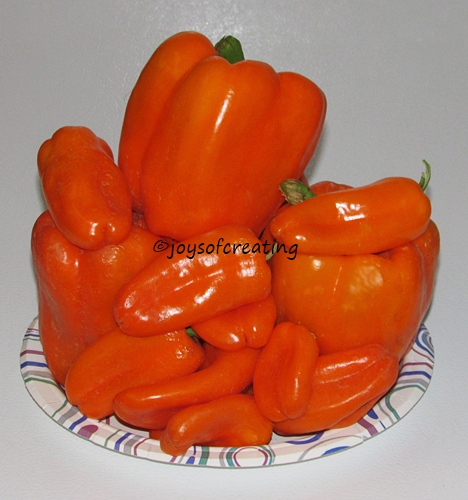 I’ve harvested quite a few peppers this year. My husband has feasted heavily on the baby bells. Fortunately, there was several left to put up along with the big bell peppers.
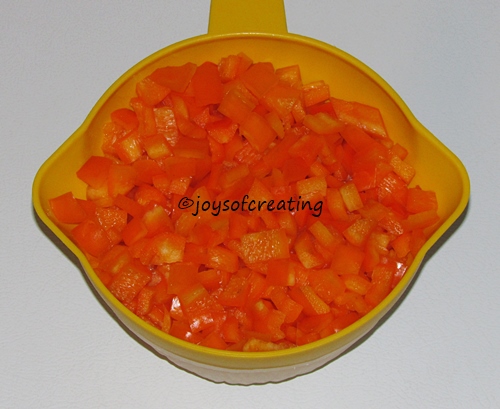 I wash the peppers, hull and de-seed them and chop them in to small pieces.
 I spread the pepper pieces on a tray and put them in the freezer.
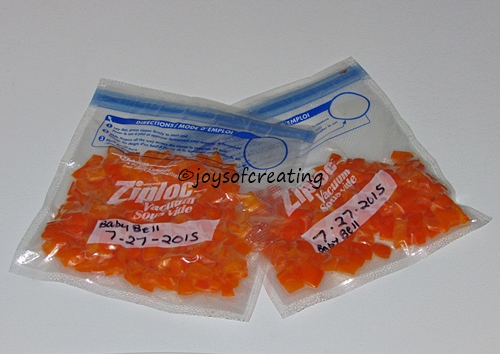 It usually takes about a half hour for the peppers to freeze.



 Several years ago I tried different methods of freezing squash. The truth is, squash has issues with freezing. I found the ‘blanching’ method makes it get real squishy real quick if you ain’t careful. I tried different lengths of time of blanching with different thicknesses of slices, but I wasn’t happy with any of the results. When I tried to use the frozen blanched squash, it was way too squishy regardless of how I cooked it.



 Joys Of Creating